
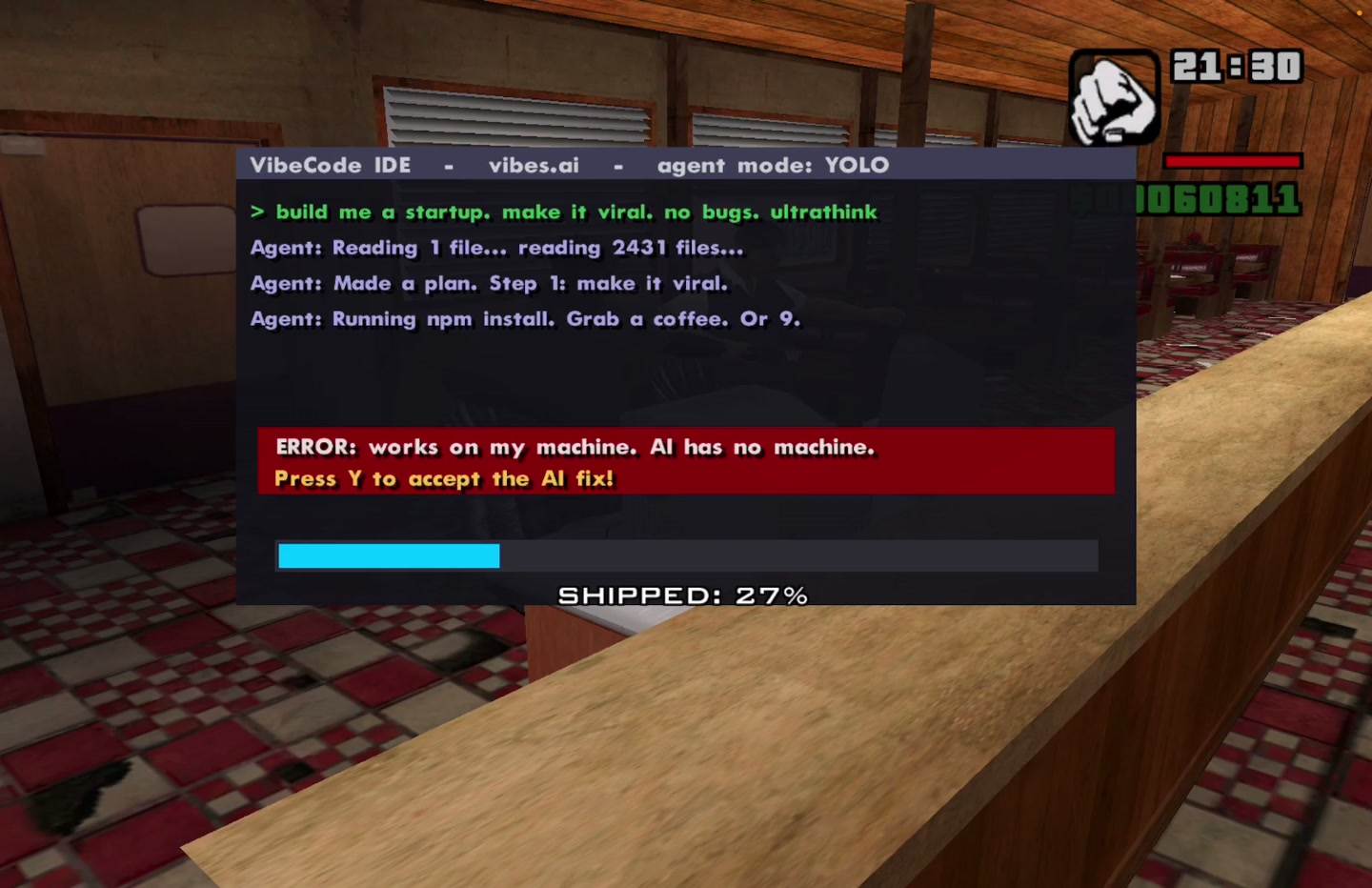
CJ’s next job is a startup. Pieter Levels, better known as @levelsio, says he used Claude Code to make a custom GTA San Andreas mission, then shared the prompt behind it. The pitch is irresistible: give an old game a new story of your own.
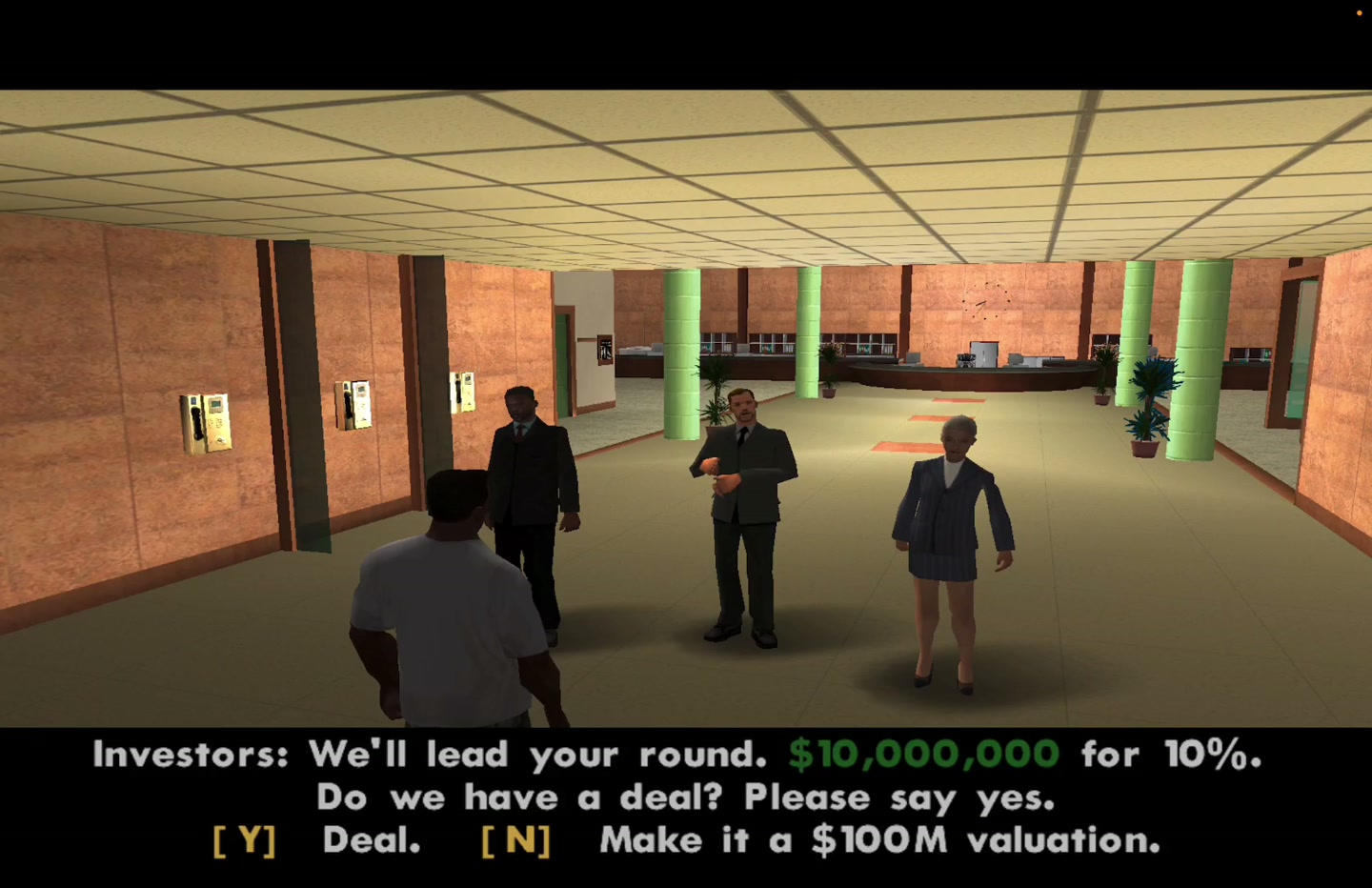
In the October 20 demonstration, CJ builds a business at a diner, heads to an investor meeting and walks away with a funding-sized mission reward. On October 21, Levels published his setup and mission-building instructions so others could adapt the idea.
This is an unofficial desktop mod. It needs an installed game; it does not run in a browser. We reviewed the shared material and demonstration, but have not reproduced the mission on our own setup.
THE PAYOFF
From mission marker to startup founder.
The fun is in putting a very current joke inside a familiar world. The coding scene becomes a minigame, the investor conversation becomes an objective, and the reward uses the game’s own mission language. It is a useful example of how a small custom script can change the story without rebuilding the world around it.
WHAT YOU CAN BORROW
A small story, built in stages.
The approach combines an AI coding assistant with established GTA modding tools. The assistant helps write the mission logic; the modding tools compile and load it into the existing game. The game still supplies the world, characters, animation system and rules that the script works with.
For a first project, shrink the idea to something you can finish: meet a character, collect an object, reach a destination. A courier mission, a scavenger hunt or a short comedy scene is enough. Getting a beginning, ending and restart working will teach you more than asking for an entire new campaign at once.
That is the broader possibility worth watching: players can start describing a story they want to play, then iterate on the scripting with an assistant. The craft still includes choosing objectives, checking the result in-game and fixing what breaks. A prompt is a starting brief, not a guarantee of a finished mission.
YOUR TOOLKIT
What you need to make your own.
This inventory follows the creator’s shared workflow. Start with the game, compatible modding setup and coding tools. Voice production comes later. On Windows, the Mac-specific CrossOver steps will not apply; check the instructions for your installation.
Classic GTA San Andreas for PC
The game being modified. Levelsio’s workflow targets the original PC release, prepared for v1.0 US.
Use your own copy. Definitive Edition, console and mobile releases are different setups.
Claude Code ↗
The AI coding assistant levelsio says he used to create the mission.
Requires access to the service; check current plans. The demo does not identify a model version.
CrossOver + its Wine command line ↗
Runs the Windows game and tools on his Mac. A “bottle” is a separate Windows software environment.
Paid software with a trial. His workflow uses separate game and compilation environments.
Jetpack Downgrader ↗
Prepares a compatible older game version in the creator’s setup.
His method uses the bundled JojoDiff patches and patcher.exe. Check supported input versions first.
CLEO 5 ↗
Loads scripts that add custom behavior to San Andreas.
A compiled mission script goes in the game’s CLEO folder.
Silent’s ASI Loader + SilentPatch ↗
The loader enables extensions; SilentPatch supplies game fixes used in his setup.
Check what the CLEO download already bundles before adding another loader.
Sanny Builder 4 + Sanny Builder Library ↗
The mission editor/compiler and its scripting references.
The creator specifies GTA SA SBL mode. The Library documents commands and identifiers.
GTASnP ↗
The save-file service named in the prompt for a compatible starting point.
At our October 21 check it redirected to a status page. Check availability; preserve your existing saves.
Text-to-speech software
Generates original or designed voices for the dialogue.
The prompt does not name a voice provider. A first mission can use subtitles only.
FFmpeg ↗
Trims and prepares the voice clips for playback.
Useful for consistent audio levels and converting the clips.
Whisper ↗
Transcribes the clips so subtitles can be checked against the spoken lines.
The creator says he ran it locally.
CLEO 5 audio plugin (SA.Audio.cleo) ↗
Plays the voice clips inside the mission.
The basic mission can work without a voice-production pipeline.
macOS screen recording + game-data inspection scripts
Records the result and helps inspect models, animations and other game data.
The source names no separate packaged extraction tool. These are supporting steps, not extra purchases.
Budget for the game and any paid AI or compatibility software. Check current access and prices on the official sites. The table describes the creator’s route, not a compatibility guarantee for every edition or computer.
MAKE SOMETHING
The original prompt, plus a smaller starting point.
Levels shared a detailed prompt for his Mac setup. Read his original for the full mission-specific workflow. Below it is our own smaller starter, inspired by that approach, with blanks for your computer and story. It is an adaptation, not his exact prompt.
THE ORIGINAL / @LEVELSIO
“Here is the prompt to make your own GTA San Andreas mission on MacOS”
The original is hosted on X. Loading it connects to X; the link above also works if the embed is unavailable.
Copy this starter and put your own story in it.
Written by NeonGameWall, with credit to levelsio’s shared workflow. This starter has not been run as an end-to-end installation recipe. Its first task is to check your actual setup.
Read the starter prompt
Help me make a small, original mission for my installed copy of classic GTA San Andreas. Explain each step in plain language.

My operating system: [fill in]
My game edition and version: [fill in, or help me identify it]
My game folder: [fill in]
My mission idea: [one sentence]
My modding experience: [beginner / some experience]

1. CHECK THE SETUP
Identify my game version before changing anything. Check current CLEO, Sanny Builder, loader and patch documentation for compatibility. On macOS, assess the CrossOver route in levelsio’s workflow. Explain any purchase or account I would need. If something is unsupported, tell me what is missing instead of guessing.

2. KEEP A WORKING COPY
Back up the game and saves. Keep a list of changed files and a way to undo them. Work in a separate mod folder where possible. Do not overwrite my existing save slots.

3. BUILD ONE SMALL OBJECTIVE
Turn my idea into a mission-start marker, one character, one destination and one objective. Add a success condition, failure handling and cleanup. Start with subtitles; leave voice acting for later.

4. WRITE AND COMPILE
For a compatible CLEO/Sanny Builder installation, create readable mission source and explain how to compile and install it. Check scripting commands in the documentation. Read valid coordinates, model identifiers and animation names from game data instead of inventing them.

5. TEST ONE PART AT A TIME
Tell me what I should see after each step. If it fails, ask for the error or screenshot, change one thing and retest. Keep the last working version. Check that restarting the mission does not leave duplicate characters or objects.

6. MAKE IT MINE
Once the first objective works, show me how to change its location, dialogue and outcome. Then offer optional original synthetic voices and matching subtitles. Finish with source files, the tool versions, installation steps and removal instructions.
YOUR FIRST MISSION
One objective. Then make it yours.
- Write a one-sentence idea. For example: deliver a lost mixtape to a friend before they leave town. Choose one location and a clear finish.
- Fill in the prompt’s setup fields. Identify your game edition and computer. Have the assistant check tool compatibility and make backups before modifications.
- Get a tiny version working. Create the start marker, objective and ending. Test failure, exit and restart as well as success.
- Add the personality. Change the dialogue, route and reward. Add original voices only after the subtitle version works.
YOUR TURN
Give CJ a job only you would invent.
Copy the starter, describe your mission, and aim for one working objective. Keep the original creator’s workflow open as a reference.
GET THE STARTER PROMPT ↑Prefer to play something right now? Explore classic games in your browser or games made with AI. These are separate projects from this desktop mod.
Credit and sources
Mission and original workflow: Pieter Levels (@levelsio). Images and the short video excerpt are from his demonstration. GTA San Andreas is Rockstar Games’ game; the mod uses the work of the modding-tool creators linked above.
- Original mission demonstration — October 20, 2026
- Original shared prompt — October 21, 2026
- Sanny Builder Library — scripting reference
Reporting and starter prompt by NeonGameWall. Know a browser game we should cover? Suggest a game.